Sheru Bhai AI Video Generator
Make a Sheru Bhai AI video in one prompt: pick a lion boss scene, write the line he says in Hindi or English, and generate. This AI Sheru video generator creates an 8-second vertical clip with voice, music and sound, ready for Reels, Shorts and TikTok.
The auction
Sheru Bhai AI Video Examples
Each clip was generated with Veo 3.1 Fast from the scene prompts below: 9:16, 8 seconds, with sound. Turn the sound on to hear the Hindi lines; captions include an English translation.
Sheru Bhai Video Prompts
Pick a scene to load its full prompt into the generator, then change the rival, the setting or the line he says. The first three made the examples above.
What Is the Sheru Bhai AI Trend?
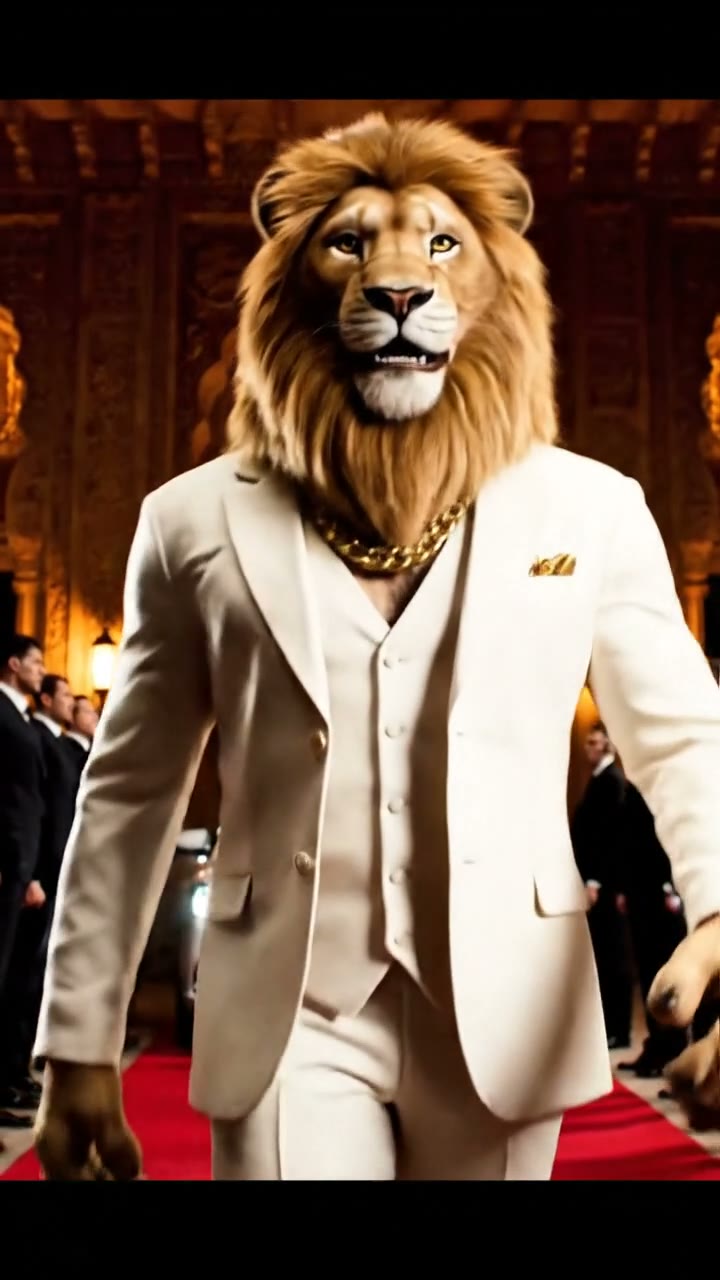
Sheru Bhai is a fictional lion-headed businessman who took over short-form video. He wears a sharp suit and gold jewelry, speaks in a deep Hindi voice and always has the last word.
Auctions
A rival bids a ridiculous amount. The lion boss calmly bids for the whole showroom, jet or mansion.
Entrances
A luxury car, a red carpet, bodyguards bowing and a slow walk toward the camera.
Rivalries
A tiger or bear boss makes a threat, and the lion answers with a laugh and a better line.
Photos
People pose beside the lion boss in AI photos, as friends, partners or bodyguards.
How to Make a Sheru Bhai AI Video
Three steps from a scene idea to a vertical lion boss clip with sound.
- 01
Pick a scene
Start from the auction, the entrance, the rival or the palace walk. Each prompt already describes the lion boss, the setting and the camera.
- 02
Write his line
Change the dialogue in quotes. Romanized Hindi works, and so does English. Keep it to one or two short lines so the clip has room for the punchline.
- 03
Generate and share
Generate an 8-second vertical clip with sound. Watch it with the sound on, then download it for Reels, Shorts or TikTok, or try another take.
Tips for Hindi Dialogue and a Clear Punchline
The trend works because every clip lands one line. These details keep the lion boss recognizable and the joke easy to follow.
Describe the look once
A golden mane, a cream suit and a gold chain are enough to make the lion boss recognizable. Keep the same description in every scene.
One punchline
An 8-second clip carries one turn: a bigger bid, a bow, a laugh. Build the scene toward that moment instead of adding more events.
Name the language
Write the spoken line in quotes and say it is in Hindi. Short, common words come out clearest. Pronunciation and lip sync can vary between takes.
Give him a rival
A bear, a tiger or a wolf in a contrasting suit makes the scene easy to follow and keeps the two characters from blending together.
Make a Sheru Bhai AI Photo with Yourself
For the photo version of the trend, upload a clear photo of yourself to Image to Image and describe the scene. Start from this prompt:
Place the person from my photo on a red carpet at night, standing shoulder to shoulder with a photorealistic lion-headed businessman with a thick golden mane, a cream three-piece suit and a gold chain. Both look at the camera, camera flashes behind them, natural skin and fur, vertical 4:5 portrait.
Sheru Bhai AI Video FAQ
The character, the prompts, Hindi dialogue and the photo version.
What is Sheru Bhai?
Sheru Bhai is a fictional lion-headed businessman from viral AI videos on Instagram, YouTube and TikTok. He wears a suit and gold jewelry, often speaks in a deep Hindi voice, and wins every auction, entrance and rivalry he appears in.
How do I make a Sheru Bhai AI video?
Choose a scene on this page, change the line he says, and generate. SuperVids writes the scene into the Text to Video prompt and uses Veo 3.1 Fast to create an 8-second vertical video with sound.
Can the lion speak Hindi in the video?
Yes. Write the line in quotes and say it is in Hindi; Veo 3.1 Fast generates the voice, music and sound effects in the same clip. Pronunciation and lip sync can vary, so short lines work best and another take can help.
Where can I find Sheru Bhai video prompts?
The scene cards on this page are ready-made Sheru Bhai video prompts for an auction, an entrance, a rival and a palace walk. Select one to load it into the generator, then edit the setting, the rival or the dialogue.
Can I make a Sheru Bhai AI photo with myself?
Yes. Open Image to Image, upload a clear photo of yourself and describe standing beside a lion-headed businessman in a cream suit, for example on a red carpet. The photo prompt on this page is a starting point.
Is this the original Sheru Bhai character?
No. These are original lion boss scenes inspired by the trend, and SuperVids is not affiliated with any Sheru Bhai creator. Write your own scenes rather than copying another creator’s videos.
How long are the videos and what format do I get?
With Veo 3.1 Fast you get an 8-second, 9:16 vertical MP4 at 720p with sound. You can switch to another video model in the generator for a different length or resolution; the credit cost changes with the model and settings.
Is the Sheru Bhai AI video generator free?
Sign in to get free welcome credits. Each video uses credits; the generator shows the cost before you create, and the pricing page lists current plans.