Create image
0/20,000

Start with a visual brief

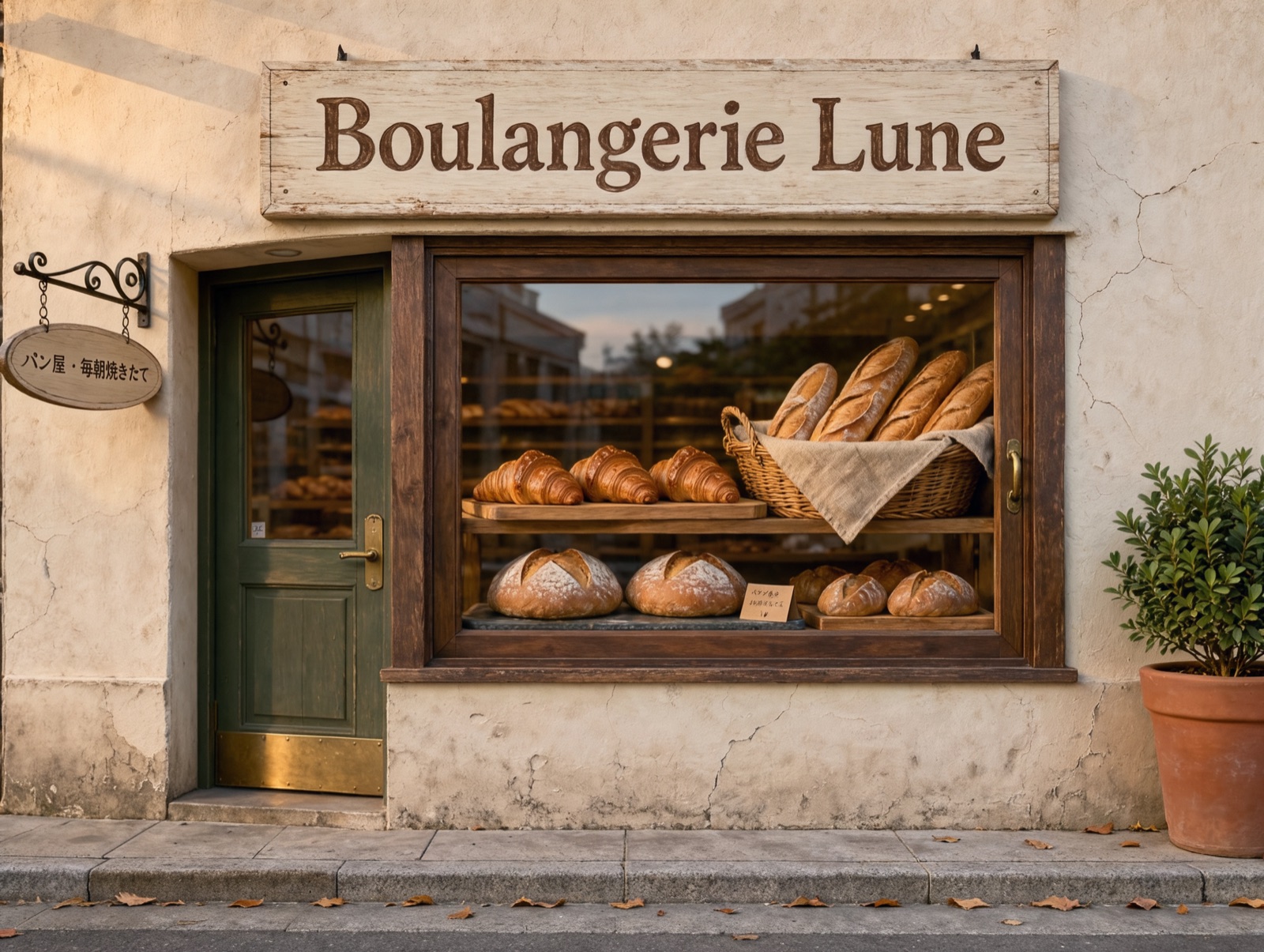
A bakery storefront with a Boulangerie Lune sign and a Japanese hanging sign
KLING IMAGE 4.0 EXAMPLE · PROMPTA small bakery storefront in the morning, photographed from the street. A painted wooden sign above the window reads "Boulangerie Lune". A smaller hanging sign by the door reads "パン屋 · 毎朝焼きたて". Fresh loaves and croissants in the window, soft morning light, realistic photograph. No other text.

Kling Image 4.0 AI Image Generator

Create posters, product shots, portraits and edits with Kling Image 4.0, Kling AI's new image model. Write the words you want in quotation marks, add reference images when you need them, and choose 2K or 4K.

What Is Kling Image 4.0?

Kling Image 4.0 is the image model from Kling AI, released on November 17, 2026. It creates still images from a written prompt, or edits and combines up to 10 reference images that you supply. On SuperVids it runs in Text to Image and Image to Image, and each request returns one 2K or 4K PNG.

It is not Kling 4.0, Kling's video model, which shares the version number. This page creates and edits still images; it does not generate video.

In our tests it spelled short headlines, labels and signs correctly, including a Japanese shop sign, and placed objects where a long prompt described them. The examples below show each prompt and its settings.

Kling Image 4.0 at a Glance

Resolution
2K or 4K
Aspect ratios
Auto + 8
Reference images
Up to 10
Credits per image
2K 8 · 4K 16

What Kling Image 4.0 Does Well

These strengths come from our own generations. Each one is shown in the examples further down the page.

01

Text inside the image

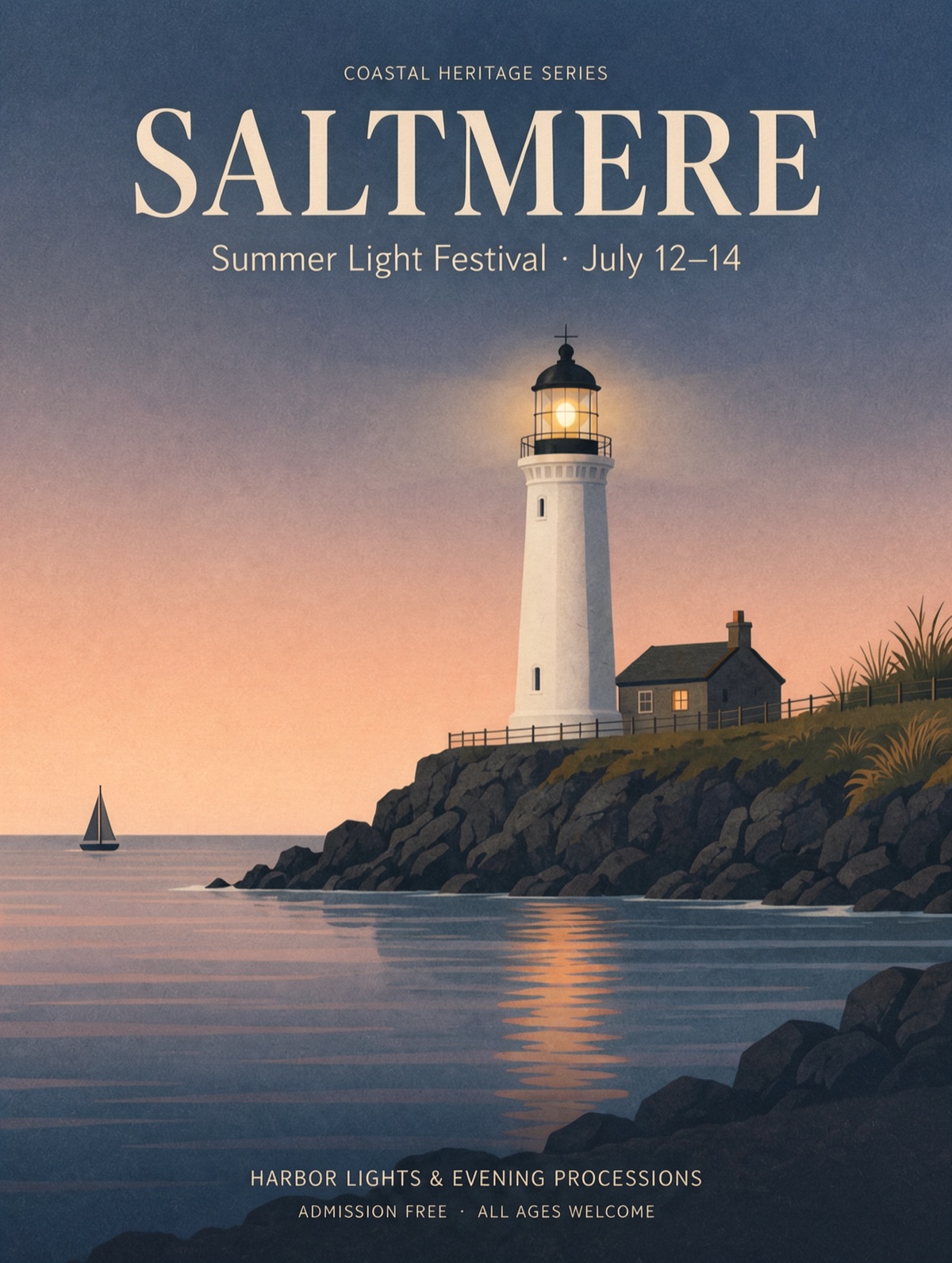
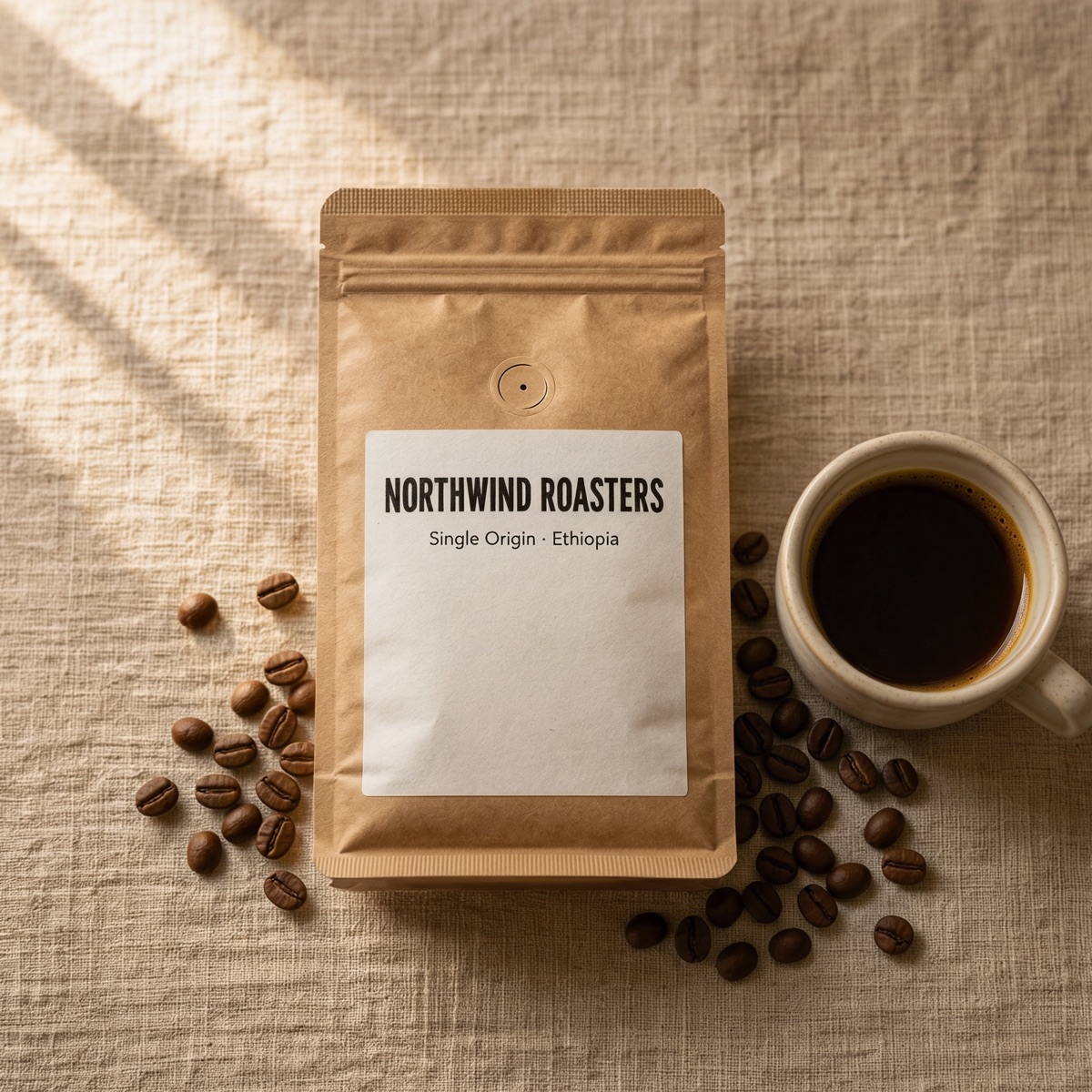
Write headlines, labels and signs in quotation marks. Poster titles, a package label and a Japanese sign all came out spelled as written. The model may add its own supporting lines, such as dates or a series name, so say when the quoted text is the only text.

02

Edits from reference images

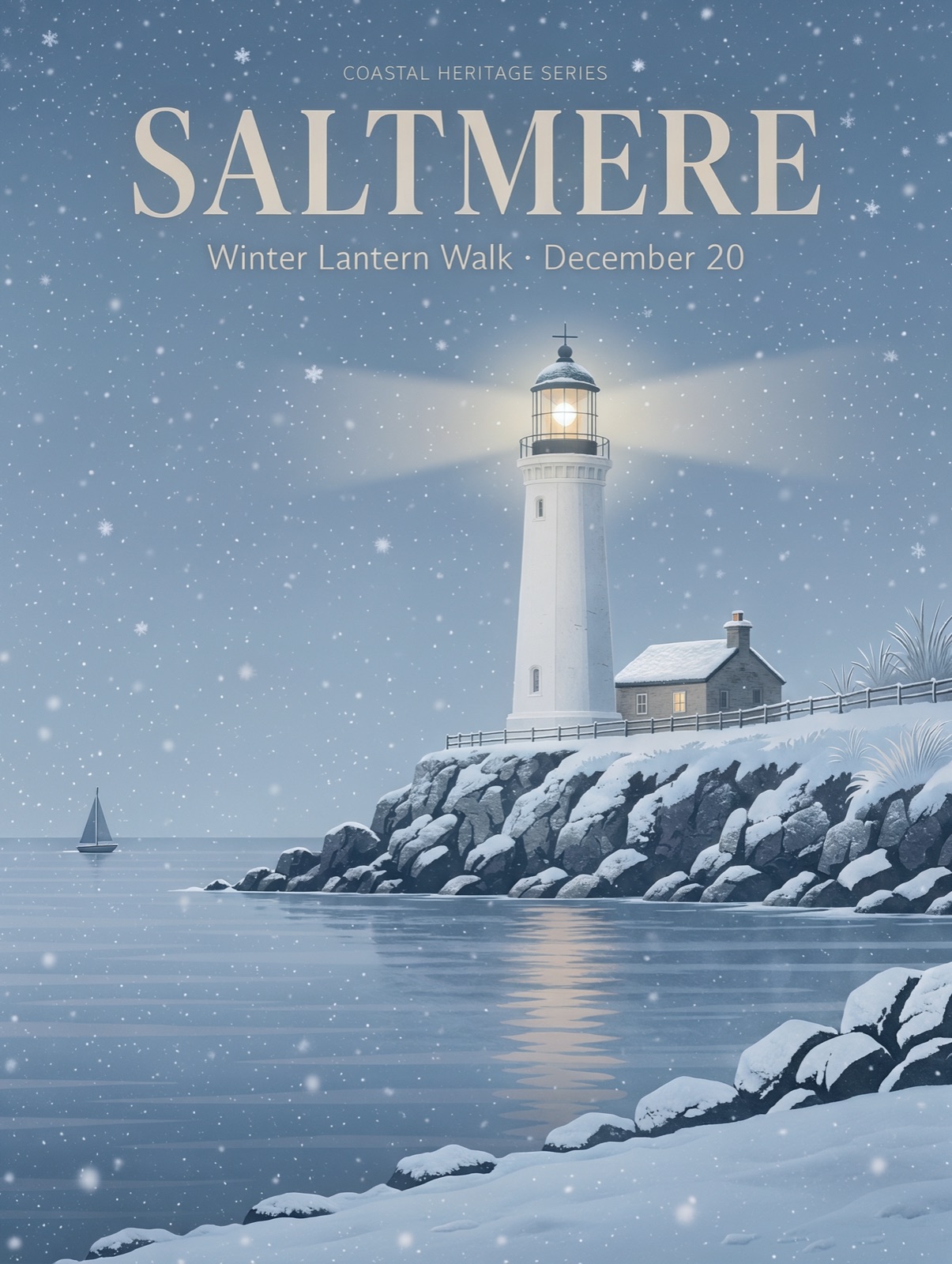
In Image to Image, add up to 10 images and refer to them as @Image1, @Image2 and so on. The winter poster keeps the layout, typeface and headline of the original while the season and subtitle change.

03

Layouts from detailed briefs

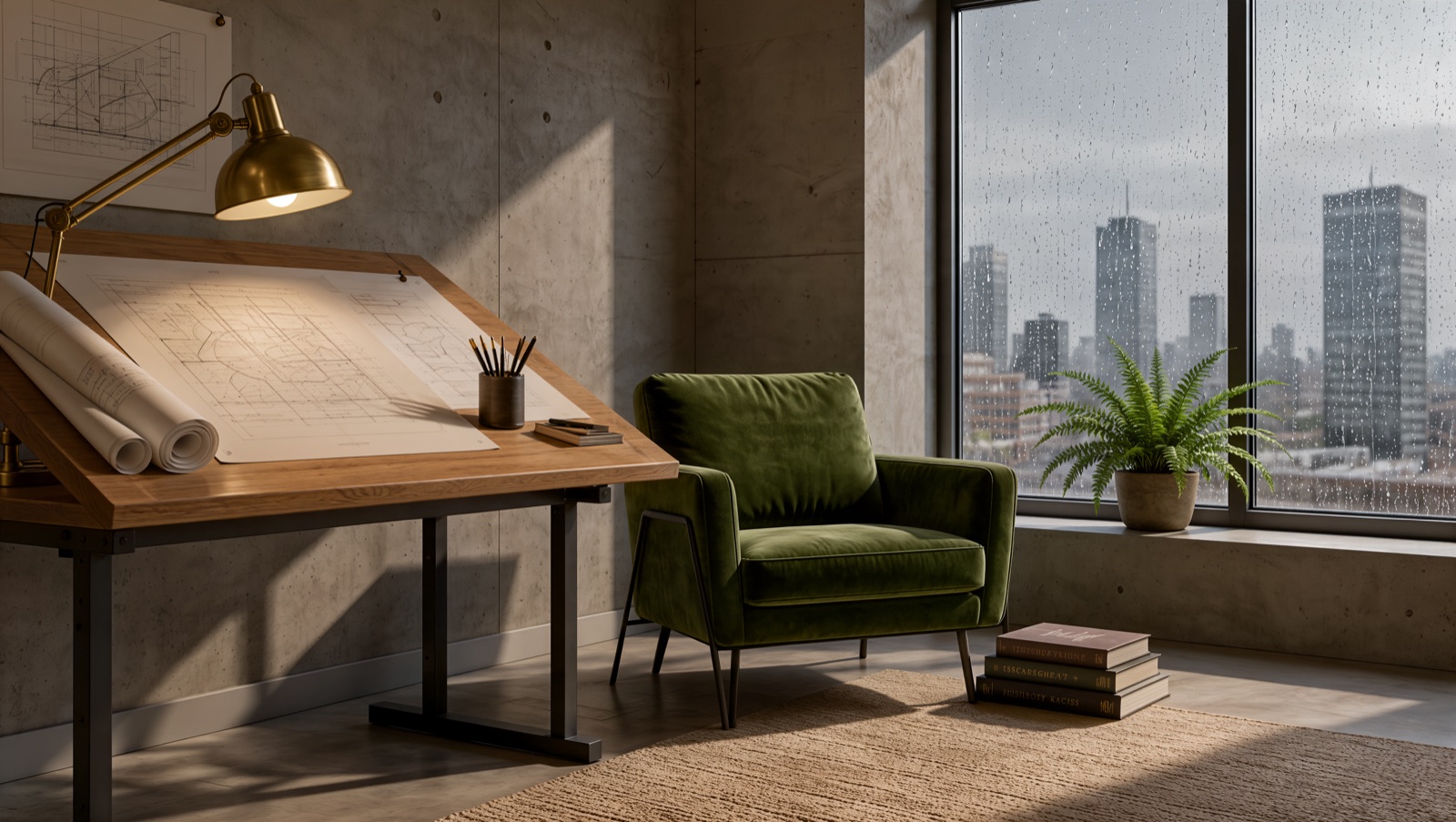
Describe a scene object by object, from left to right. The architect's studio example places the drafting table, armchair, books and rainy window where the prompt put them.

04

2K or 4K output

2K suits screens and social posts. 4K leaves room to crop or print: a 16:9 image at 4K measured 5,440 × 3,072 pixels in our test, and it took longer to generate than the same request at 2K.

Kling Image 4.0 Examples

Every image below was generated with Kling Image 4.0 and is shown as a compressed JPEG. Open a prompt to see exactly what was asked, then use it in the generator.

A bakery storefront with a Boulangerie Lune sign and a Japanese hanging sign

Signs in two languages

A French shop name and a Japanese hanging sign. 4:3, 2K.

View prompt

A small bakery storefront in the morning, photographed from the street. A painted wooden sign above the window reads "Boulangerie Lune". A smaller hanging sign by the door reads "パン屋 · 毎朝焼きたて". Fresh loaves and croissants in the window, soft morning light, realistic photograph. No other text.

A travel poster titled Saltmere with a white lighthouse at dusk

A typographic travel poster

A quoted title and subtitle over an illustrated scene. 3:4, 2K.

View prompt

A minimalist travel poster for a fictional seaside town. Large bold serif headline "SALTMERE" at the top, smaller subtitle "Summer Light Festival · July 12–14" below it. A white lighthouse on a rocky headland at dusk, warm peach-to-indigo gradient sky, calm sea with soft reflections, subtle risograph grain texture, clean balanced composition.

The Saltmere lighthouse poster restyled as a snowy winter nightAfter
A travel poster titled Saltmere with a white lighthouse at dusk
Before

The same poster in winter

Image to Image from the poster: new season and subtitle, same layout. Auto ratio, 2K.

View prompt

Turn @Image1 into a winter edition of the same poster: snow on the rocks and the cottage roof, a pale blue night sky with falling snow, the lighthouse beam glowing. Keep the headline "SALTMERE" and change the subtitle to "Winter Lantern Walk · December 20". No other text.

A kraft coffee bag labelled Northwind Roasters beside a cup of coffee

A product label

Package text on a product flat-lay. 1:1, 2K.

View prompt

A flat-lay photo of a kraft paper coffee bag on a linen tablecloth. The bag label reads "NORTHWIND ROASTERS" in bold condensed letters, with "Single Origin · Ethiopia" underneath. Morning window light, a ceramic cup and scattered coffee beans beside it. No other text.

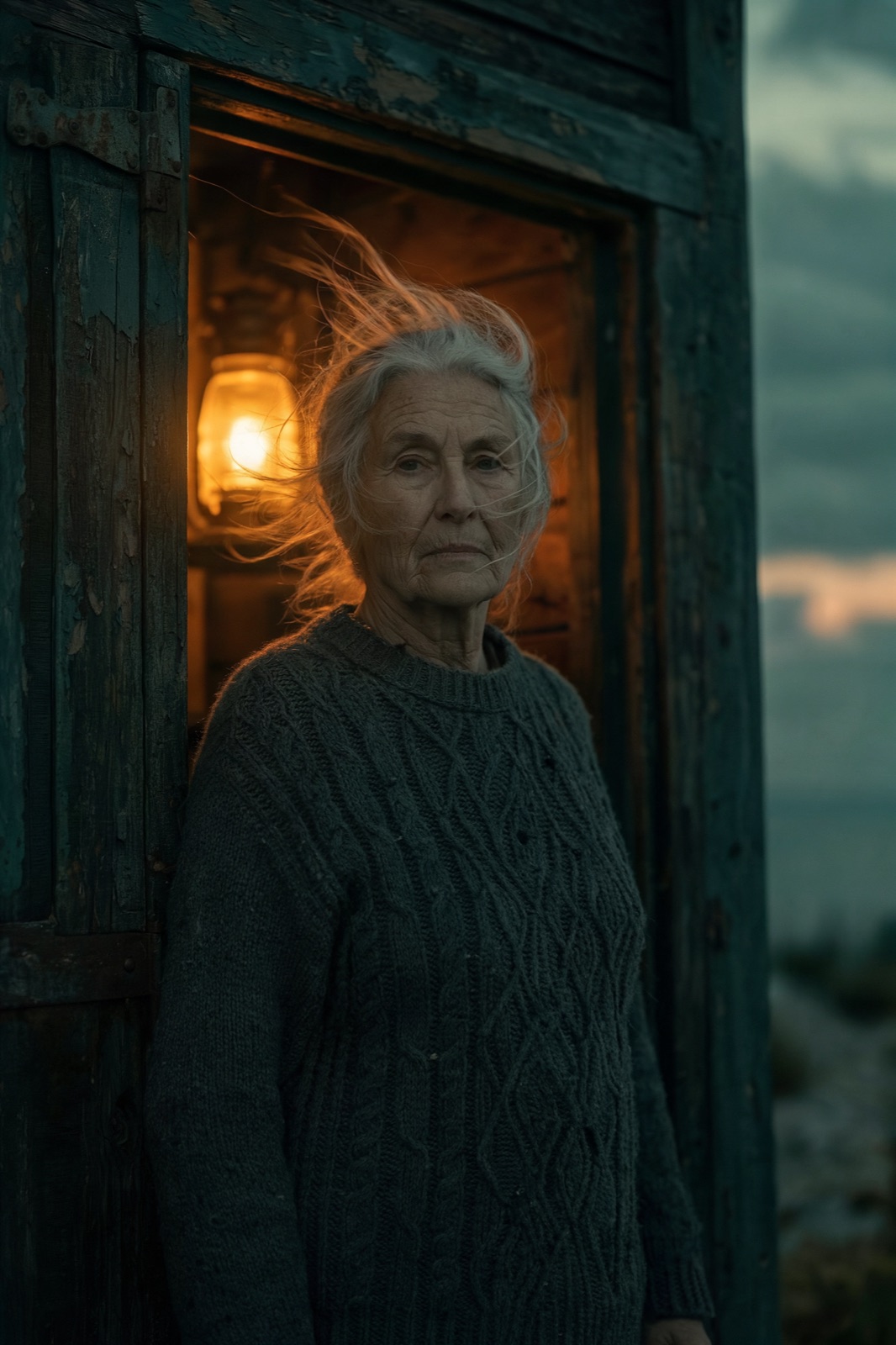
An older woman with windswept grey hair in a lamplit doorway at dusk

A film-still portrait

Lens, light and colour direction for a character. 2:3, 2K.

View prompt

Film still of a lighthouse keeper in her sixties standing in a cottage doorway at dusk, wind in her grey hair, a cable-knit wool sweater, warm lamp light glowing behind her, 85mm lens, shallow depth of field, muted teal and amber colour grade.

An architect studio with a drafting table, green armchair and rainy window

A room placed object by object

Left, centre and right described in order. 16:9, 4K.

View prompt

A wide interior photograph of a quiet architect's studio. On the left, a large drafting table with a brass lamp and rolled blueprints. In the center, a green velvet armchair beside a stack of three books on the floor. On the right, a tall window with rain on the glass and a fern on the sill. Soft morning light, 24mm lens, realistic. No text.

How to Create with Kling Image 4.0

Kling Image 4.0 is already selected. Start with your idea, then review the settings before generating.

  1. Choose the mode

    Stay in Text to Image to start from words, or open Image to Image to add up to 10 reference images.

  2. Write the brief

    Describe the subject, layout and light. Put every word that must appear in quotation marks, and name references as @Image1, @Image2.

  3. Pick the size and generate

    Choose 2K or 4K and an aspect ratio. The credit cost is shown on the Generate button, and the result appears in My Creations.

Prompt Tips for Kling Image 4.0

Kling Image 4.0 creates one PNG image per request at 2K or 4K. Choose Auto or one of eight aspect ratios: 1:1, 16:9, 9:16, 4:3, 3:4, 3:2, 2:3 or 21:9. In Image to Image you can add up to 10 reference images. A 4K image takes longer to generate than 2K.

01

Quote the exact text

Put headlines and labels in quotation marks and say where they belong. If no other text should appear, say so, then check the small lines in the result.

02

Describe the layout

Name the order of headline, image and supporting copy, or place objects left, centre and right. A clear hierarchy keeps small text legible.

03

Name your references

Refer to uploaded images by their order: @Image1 is the first. Say what to keep from each one, such as the face, the product or the layout.

04

Choose the canvas first

Pick a portrait ratio for posters and a landscape ratio for banners. Use 4K when the image will be printed or cropped.

View plans and credits ↗

Kling Image 4.0 vs Other Image Models on SuperVids

Every model below runs in the same generator, so you can switch without retyping your prompt. Credits are per image at each resolution.

ModelResolutionAspect ratiosReference imagesFormatCredits per image
Nano Banana 2.11K, 2K, 4KAuto + 14Up to 10JPG, PNG1K 5 · 2K 7 · 4K 11
Nano Banana 21K, 2K, 4KAuto + 14Up to 10JPG, PNG1K 10 · 2K 14 · 4K 21
GPT Image 21K, 2K, 4KAuto + 15Up to 16PNG1K 7 · 2K 12 · 4K 18
Seedream 51K, 1.5K, 2K8Up to 10JPG, PNG1K 4 · 1.5K 4 · 2K 4
Kling Image 4.02K, 4KAuto + 8Up to 10PNG2K 8 · 4K 16

Kling Image 4.0 Questions

How do I use Kling Image 4.0 on SuperVids?

This page opens Text to Image with Kling Image 4.0 selected. Write your image prompt and choose an aspect ratio. Select Generate to create. Completed results appear in My Creations.

What settings are available for Kling Image 4.0?

Kling Image 4.0 creates one PNG image per request at 2K or 4K. Choose Auto or one of eight aspect ratios: 1:1, 16:9, 9:16, 4:3, 3:4, 3:2, 2:3 or 21:9. In Image to Image you can add up to 10 reference images. A 4K image takes longer to generate than 2K.

What is Kling Image 4.0?

Kling Image 4.0 is Kling AI's image model, released on November 17, 2026. It generates images from text and edits or combines reference images. On SuperVids it returns one 2K or 4K PNG per request.

Is Kling Image 4.0 the same as Kling 4.0?

No. Kling 4.0 is Kling's video model and Kling Image 4.0 is its image model. They share a version number, but this page only creates still images.

Can Kling Image 4.0 put text in an image?

Yes. Write the exact words in quotation marks and say where they go. The model may add supporting text of its own, such as dates or a series name. Say that the quoted text is the only text, and check small lines before you publish.

How do I use reference images with Kling Image 4.0?

Open Image to Image, add up to 10 images and refer to them as @Image1, @Image2 and so on, in the order you added them. Each image must be under 5 MB.

Can I generate an image series?

Not on SuperVids. Kling Image 4.0 can return a set of related images, but this page requests one image at a time. Run the prompt again, or vary it, for more versions.

Does SuperVids offer Kling Image 4.0 in 8K?

No. Kling announces output up to 8K. SuperVids offers Kling Image 4.0 at 2K and 4K.

Were the examples on this page made with Kling Image 4.0?

Yes. Every example was generated with Kling Image 4.0 from the prompt shown on its card and published as a compressed JPEG. Some contain small extra text that the model added.

When are credits charged for Kling Image 4.0 generations?

Credits are reserved while the request is processed and charged on success. Failed requests release their reserved credits.

Can I switch models without retyping my prompt?

Yes. Choose another model in the selector to keep working with your prompt. Check the available settings for the selected model before you generate.