Text inside the image
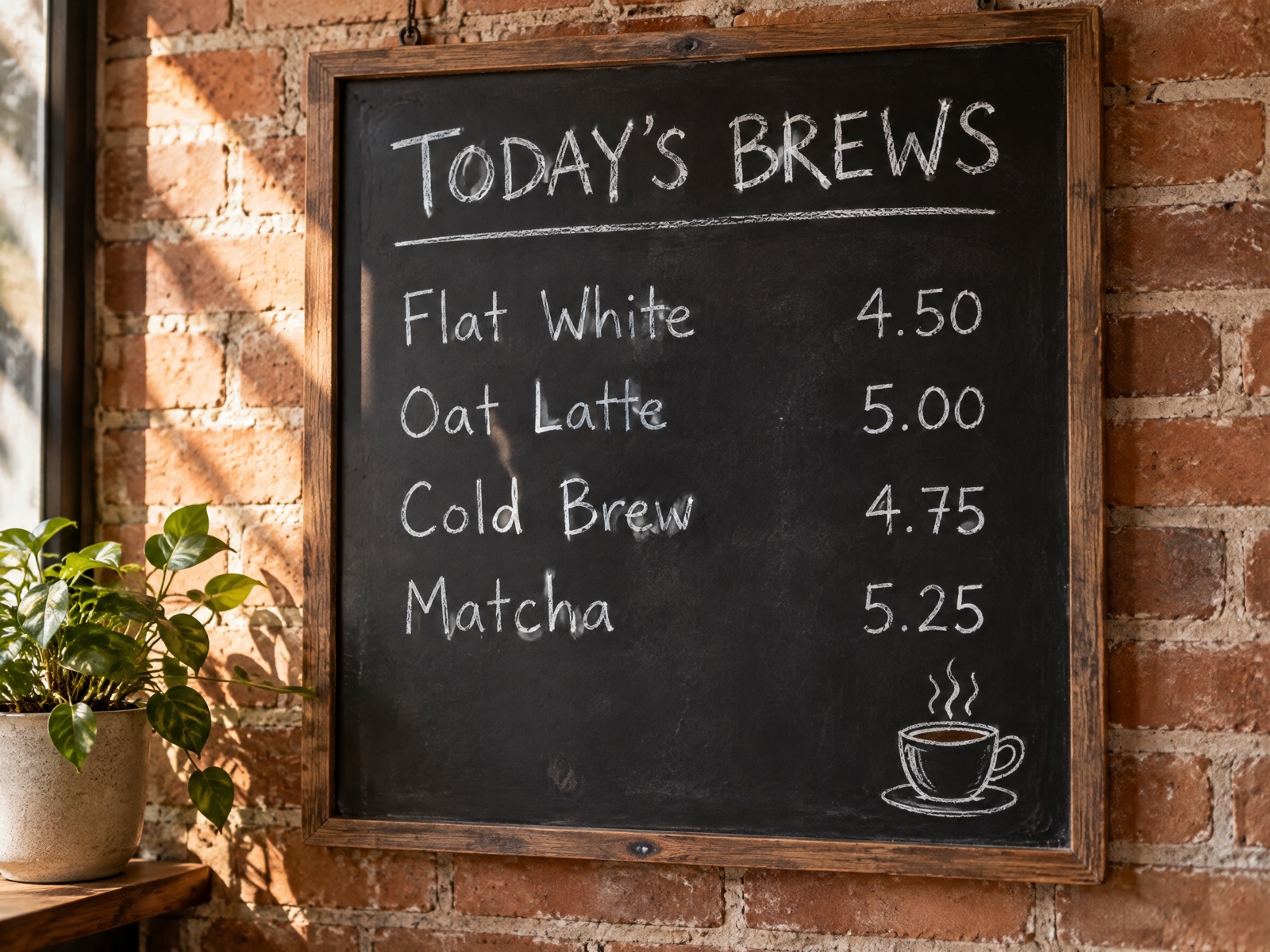
Write headlines, menu items and prices in quotation marks. The poster, the menu and the recipe card all came out with the quoted text spelled as written, and the menu prices lined up on the right as asked.
Start with a visual brief
Create posters, menus, stickers and photos with GPT Image 2.5, the OpenAI image model behind ChatGPT Images 2.5. Put the exact words in quotation marks, add reference images when you need them, and choose 1K, 2K or 4K.
GPT Image 2.5 is the image model OpenAI released in September 2026, after GPT Image 2. In ChatGPT the same update is called ChatGPT Images 2.5. For developers it comes as two versions: Flare, a smaller model built for speed, and Sunburst, the base model built for quality. Both cost the same to run.
SuperVids runs GPT Image 2.5 Sunburst. It is in Text to Image, where you start from a written prompt, and in Image to Image, where you add up to 16 reference images and describe the change. Each request returns one PNG.
In our tests it spelled every quoted word on a poster, a chalkboard menu and a recipe card, kept a poster layout through an edit, and returned a sticker with a real transparent background. The examples below show each prompt and its settings.
These strengths come from our own generations. Each one is shown in the examples further down the page.
Write headlines, menu items and prices in quotation marks. The poster, the menu and the recipe card all came out with the quoted text spelled as written, and the menu prices lined up on the right as asked.
In Image to Image, describe what changes and what stays. The summer poster keeps the saxophone player, the pier and the headline of the original while the sky, the colours and the bottom line change.
At 1K, set Background to Transparent. The fox sticker came back as a PNG with a transparent background, ready to place on a page or a product mockup.
Choose 4K when you need to crop or print. The harbor photo at 16:9 and 4K measured 3,840 × 2,160 pixels, with detail in the rope and wood grain.
Every image below was generated with GPT Image 2.5 on SuperVids and is shown as a compressed copy. Open a prompt to see exactly what was asked, then use it in the generator.
A title, four drinks and aligned prices. 4:3, 2K.
A café chalkboard menu photographed straight on, hanging on a brick wall beside a small potted plant. Hand-drawn chalk lettering. Title at the top: "TODAY'S BREWS". Below it, four lines with prices aligned on the right: "Flat White 4.50", "Oat Latte 5.00", "Cold Brew 4.75", "Matcha 5.25". A small chalk drawing of a coffee cup in the bottom right corner. Warm morning light, realistic photo. No other text.
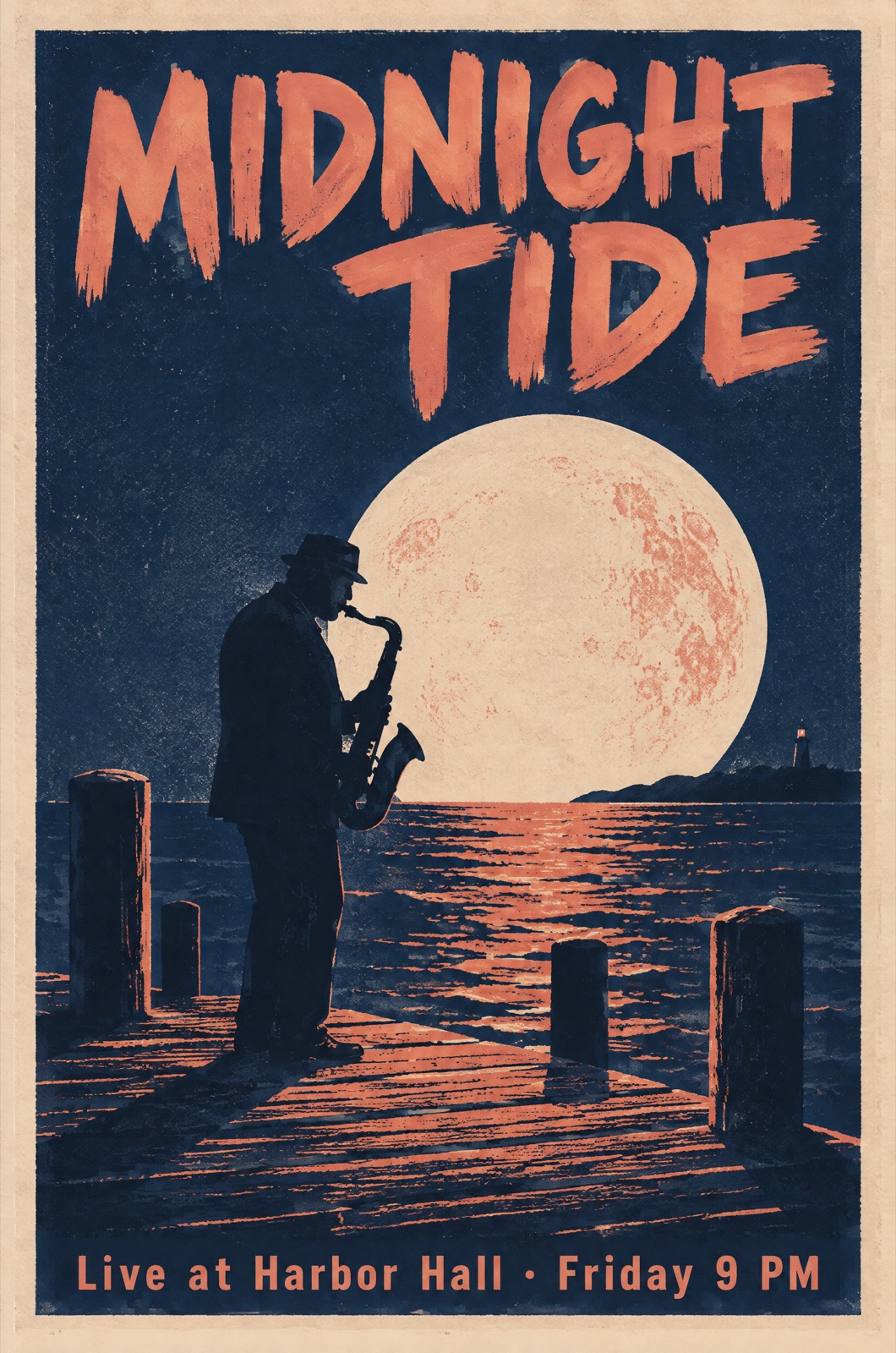
A hand-lettered headline and a bottom line in two colours. 2:3, 2K.
A screen-printed concert poster for a fictional jazz night. Large hand-lettered headline "MIDNIGHT TIDE" at the top and a smaller line "Live at Harbor Hall · Friday 9 PM" at the bottom. In the middle, a saxophone player in silhouette on a wooden pier, a huge pale moon over dark water behind him. Two-colour print in deep navy and coral, visible paper grain, generous margins. No other text.
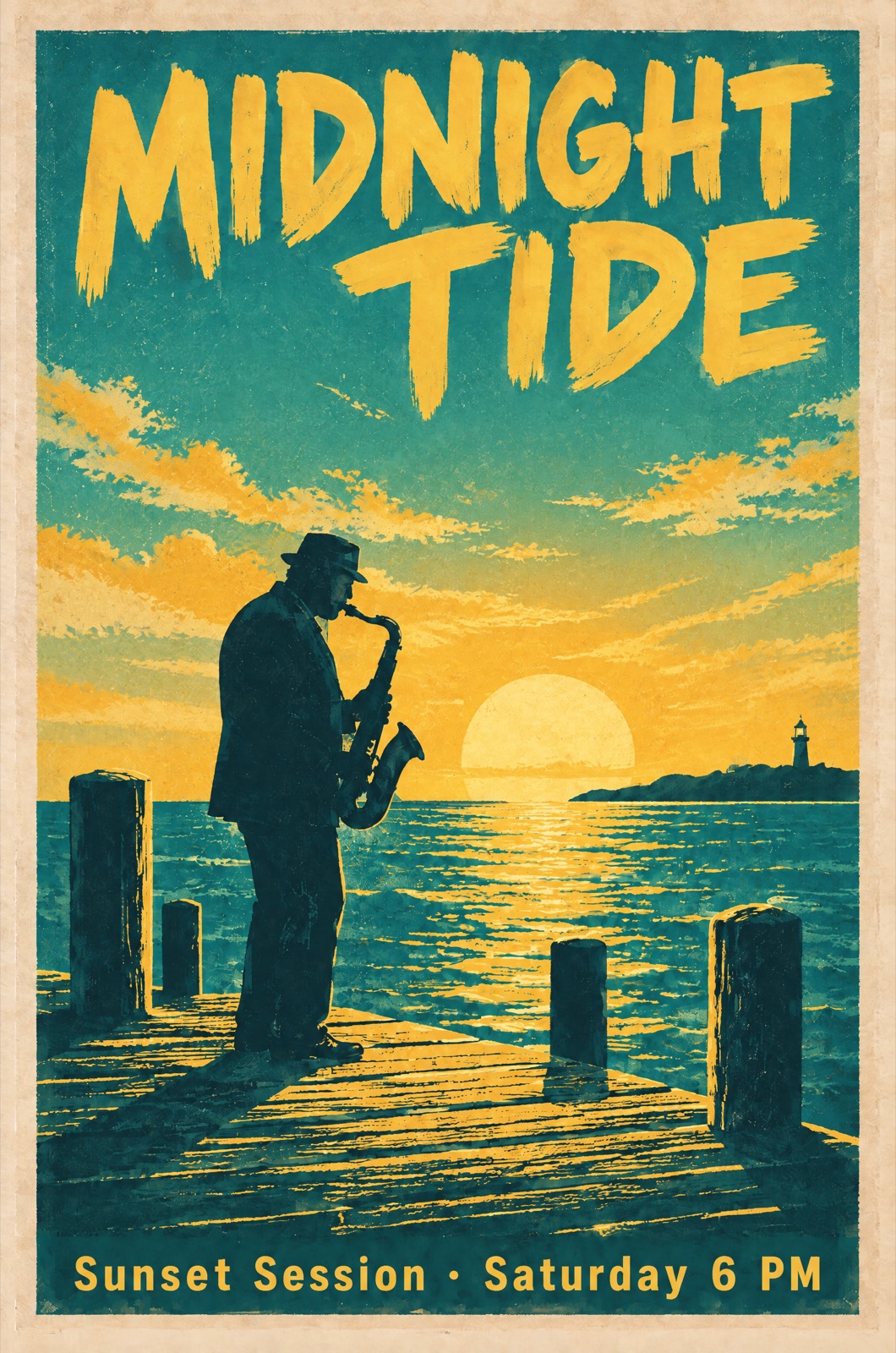 After
Image to Image from the poster: new sky, colours and bottom line. Auto ratio, 2K.
Turn this poster into a summer daytime edition of the same poster. Replace the moon with a low golden sun in a bright evening sky, and change the inks to sea green and sunflower yellow. Keep the layout, the saxophone player on the pier and the headline "MIDNIGHT TIDE". Change the bottom line to "Sunset Session · Saturday 6 PM". No other text.
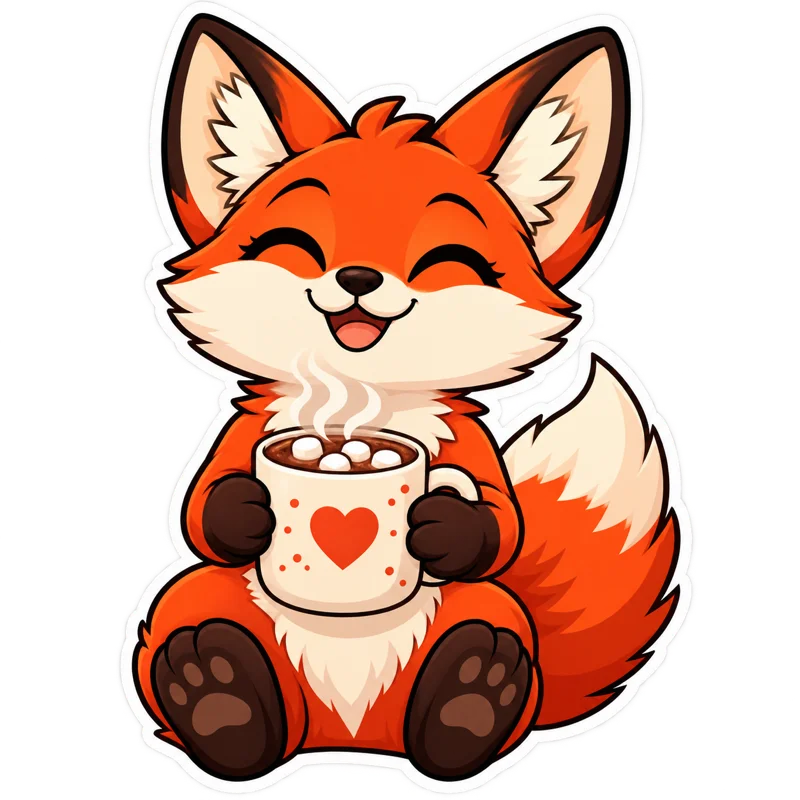
A die-cut sticker on a transparent background. 1:1, 1K, Background: Transparent.
A die-cut sticker of a cheerful red fox holding a steaming mug of cocoa with both paws. Thick white border following the sticker shape, bold clean outlines, flat colours, a soft shadow only inside the border. Only the sticker, nothing else in the frame.
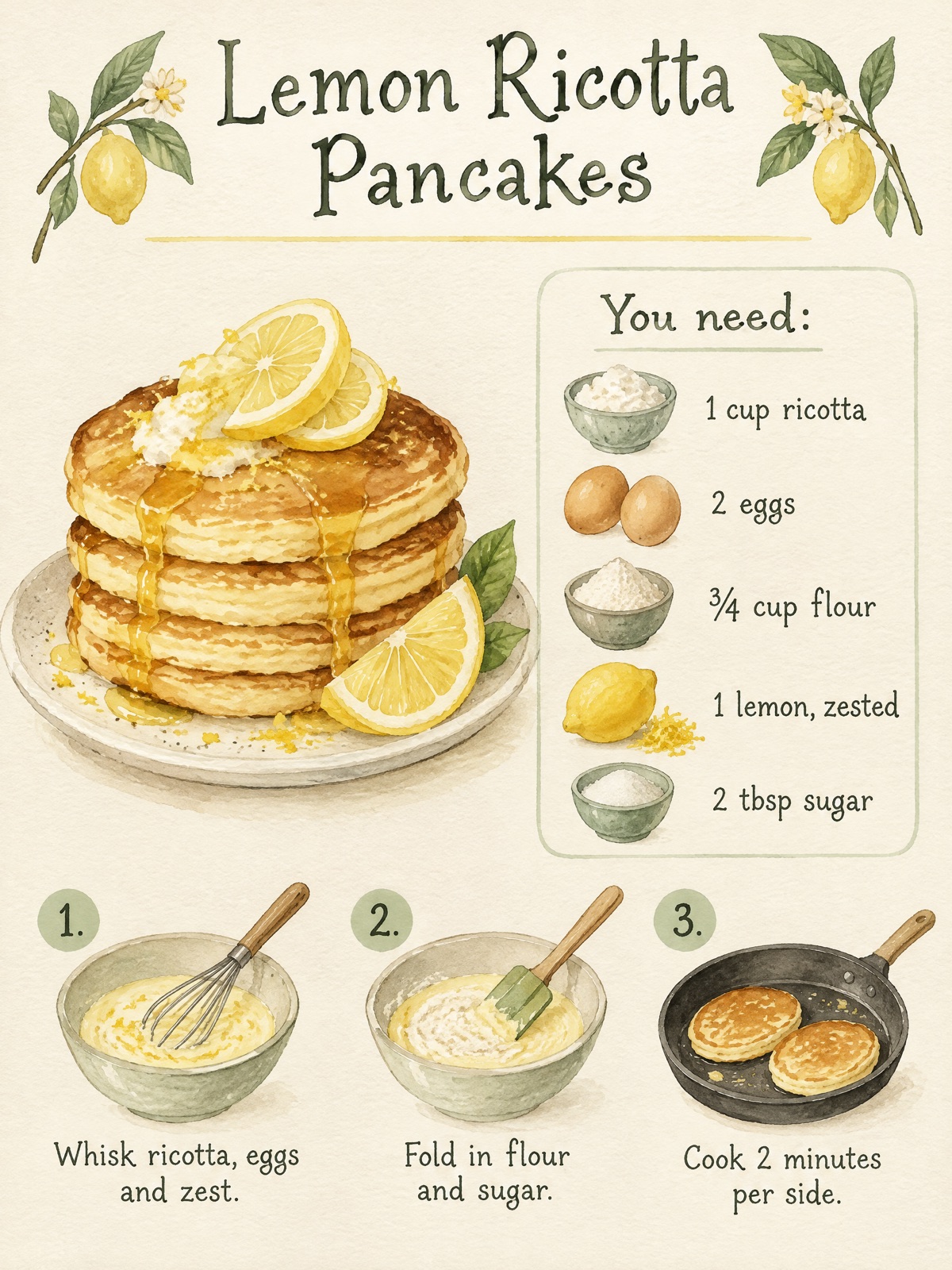
A title, five ingredients and three numbered steps. 3:4, 2K.
An illustrated recipe card on cream paper, flat lay. Title at the top: "Lemon Ricotta Pancakes". On the left, a small watercolour of a stack of pancakes with lemon slices. On the right, a list headed "You need": "1 cup ricotta", "2 eggs", "3/4 cup flour", "1 lemon, zested", "2 tbsp sugar". Along the bottom, three numbered steps: "1. Whisk ricotta, eggs and zest.", "2. Fold in flour and sugar.", "3. Cook 2 minutes per side." Neat hand-lettered style, soft yellow and sage accents. No other text.
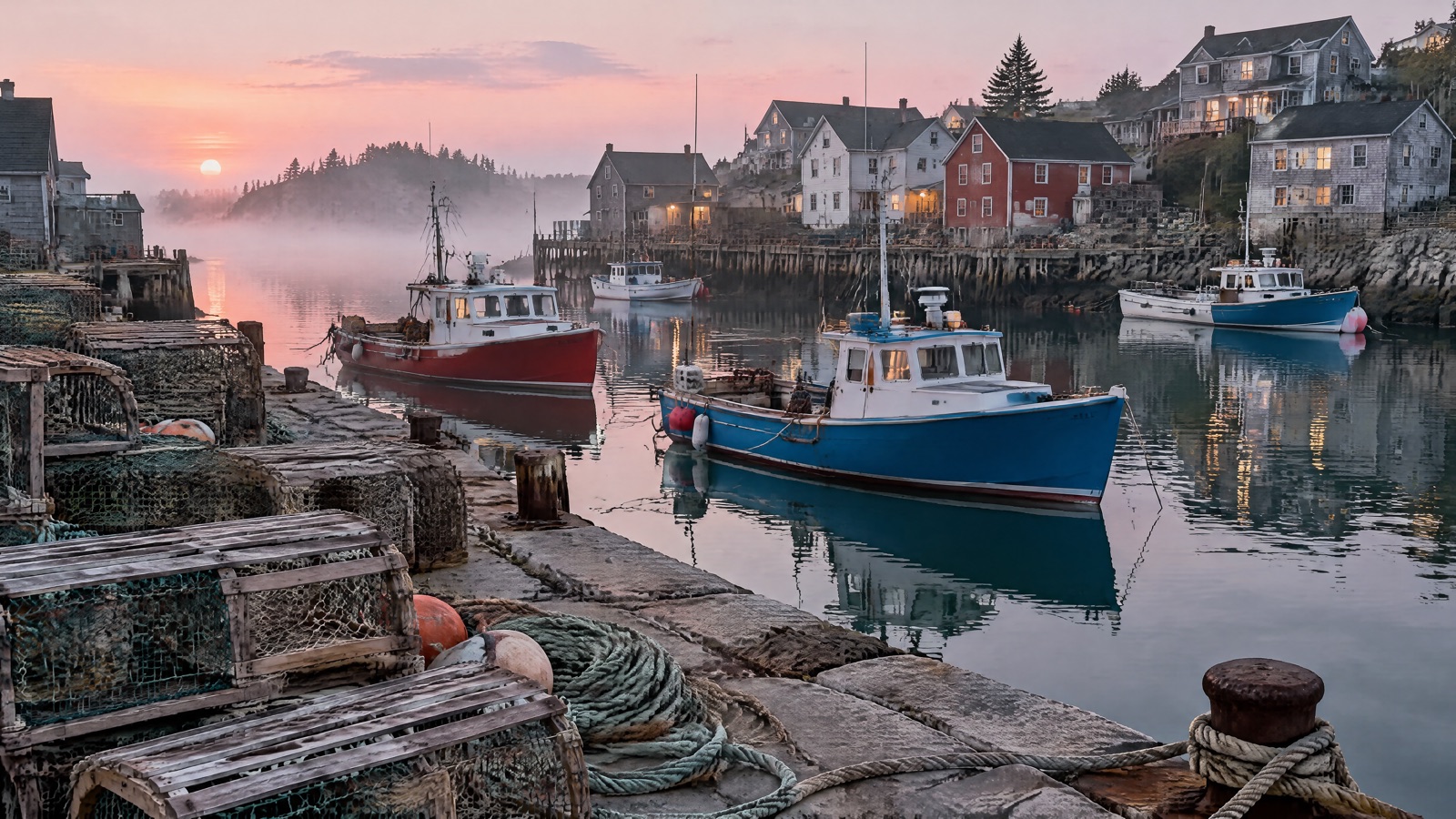
Lens, light and foreground detail for a wide scene. 16:9, 4K.
A wide documentary photograph of a small fishing harbor at dawn. Wooden boats painted blue, red and white rest on calm water; stacked lobster traps and coiled ropes on the stone quay in the foreground; a row of weathered houses with lit windows on the far side; light mist over the water and a pale pink sky. Shot on a 35mm lens, natural colours, fine detail in the wood grain and rope. No text.
GPT Image 2.5 is already selected. Start with your idea, then review the settings before generating.
Stay in Text to Image to start from words, or open Image to Image to add up to 16 reference images.
Describe the subject, layout and light. Put every word that must appear in quotation marks, and say what to keep from a reference image.
Choose 1K, 2K or 4K and an aspect ratio. The credit cost is shown on the Generate button, and the result appears in My Creations.
GPT Image 2.5 creates one PNG per request at 1K, 2K or 4K from a prompt of up to 20,000 characters. Choose Auto or one of 12 aspect ratios; 27:16, 16:27, 9:8 and 8:9 are available at 1K only. At 1K you can set the background to Auto, Opaque or Transparent. In Image to Image you can add up to 16 reference images.
Put every headline, label and price in quotation marks and say where it goes. Add "No other text" when nothing else should appear, then check each line in the result.
Say what sits at the top, in the middle and at the bottom, or list items in the order they should appear. The recipe card followed a title, an ingredient list and three numbered steps.
When you edit a reference image, name what must stay (the layout, the character, the headline) and what should change. Short, specific changes keep the rest of the image steady.
Transparent backgrounds are available at 1K. Describe the subject as a cut-out, such as a sticker or an icon, and say that nothing else should be in the frame.
Every model below runs in the same generator, so you can switch without retyping your prompt. Credits are per image at each resolution.
| Model | Resolution | Aspect ratios | Reference images | Format | Credits per image |
|---|---|---|---|---|---|
| Nano Banana 2.1 | 1K, 2K, 4K | Auto + 14 | Up to 10 | JPG, PNG | 1K 5 · 2K 7 · 4K 11 |
| Nano Banana 2 | 1K, 2K, 4K | Auto + 14 | Up to 10 | JPG, PNG | 1K 10 · 2K 14 · 4K 21 |
| GPT Image 2 | 1K, 2K, 4K | Auto + 15 | Up to 16 | PNG | 1K 7 · 2K 12 · 4K 18 |
| GPT Image 2.5 | 1K, 2K, 4K | Auto + 12 | Up to 16 | PNG | 1K 7 · 2K 12 · 4K 18 |
| Seedream 5 | 1K, 1.5K, 2K | 8 | Up to 10 | JPG, PNG | 1K 4 · 1.5K 4 · 2K 4 |
| Kling Image 4.0 | 2K, 4K | Auto + 8 | Up to 10 | PNG | 2K 8 · 4K 16 |
This page opens Text to Image with GPT Image 2.5 selected. Write your image prompt and choose an aspect ratio. Select Generate to create. Completed results appear in My Creations.
GPT Image 2.5 creates one PNG per request at 1K, 2K or 4K from a prompt of up to 20,000 characters. Choose Auto or one of 12 aspect ratios; 27:16, 16:27, 9:8 and 8:9 are available at 1K only. At 1K you can set the background to Auto, Opaque or Transparent. In Image to Image you can add up to 16 reference images.
GPT Image 2.5 is the OpenAI image model released in September 2026, after GPT Image 2. It creates images from a text prompt and edits reference images. On SuperVids it returns one PNG at 1K, 2K or 4K.
ChatGPT Images 2.5 is the name of the update inside ChatGPT. GPT Image 2.5 is the same update as OpenAI offers it to developers, in two versions, Flare and Sunburst. SuperVids runs it here, so you do not need a ChatGPT plan to use it on this page.
Sunburst. OpenAI describes Flare as the smaller model built for speed, with quality comparable to GPT Image 2, and Sunburst as the base model built for quality. They cost the same to run, so SuperVids offers Sunburst.
7, 12, and 18 credits per image at 1K, 2K and 4K. The Generate button shows the cost for the settings you choose before you generate.
Sign in to get free welcome credits. New accounts receive 120 credits once, which covers several GPT Image 2.5 images at 1K. After that, see Pricing for plans and credit packs.
Yes, at 1K. Choose 1K, then set Background to Transparent in Image settings. At 2K and 4K the background control is not available.
Yes. Open Image to Image, choose GPT Image 2.5 and add up to 16 images, each under 5 MB. Describe what to keep from them and what to change.
No. SuperVids offers GPT Image 2.5 in its web generator, not as an API.
GPT Image 2.6 is a newer OpenAI image model. SuperVids does not offer it yet; this page uses GPT Image 2.5.
Yes. Every example was generated with GPT Image 2.5 Sunburst from the prompt shown on its card and published as a compressed copy. The recipe card wrote "3/4 cup" as "¾ cup".
Credits are reserved while the request is processed and charged on success. Failed requests release their reserved credits.
Yes. Choose another model in the selector to keep working with your prompt. Check the available settings for the selected model before you generate.